


Real-life missions
Your child marks a mission as done. You confirm it.
Memory and logic games, illustrated stories and real-life missions for children aged 4–12. You choose their daily time in the app.



Your child marks a mission as done. You confirm it.
Choose how much time each child spends in Solmi each day.
Your child can play with friends in cooperative games.
Find matching pairs, solve mazes and complete patterns.
What your child gets
Memory and logic games, Bible stories and everyday missions. Your child chooses an activity, and you can follow their progress.
Find matching pairs, complete patterns and solve mazes. Play solo or in a team.

Old and New Testament stories with narration, illustrations and questions about what you've read.

Your child tries a kind deed in everyday life and marks the mission as done. You confirm it.

From the app
The app's explore screen, games and illustrated stories.
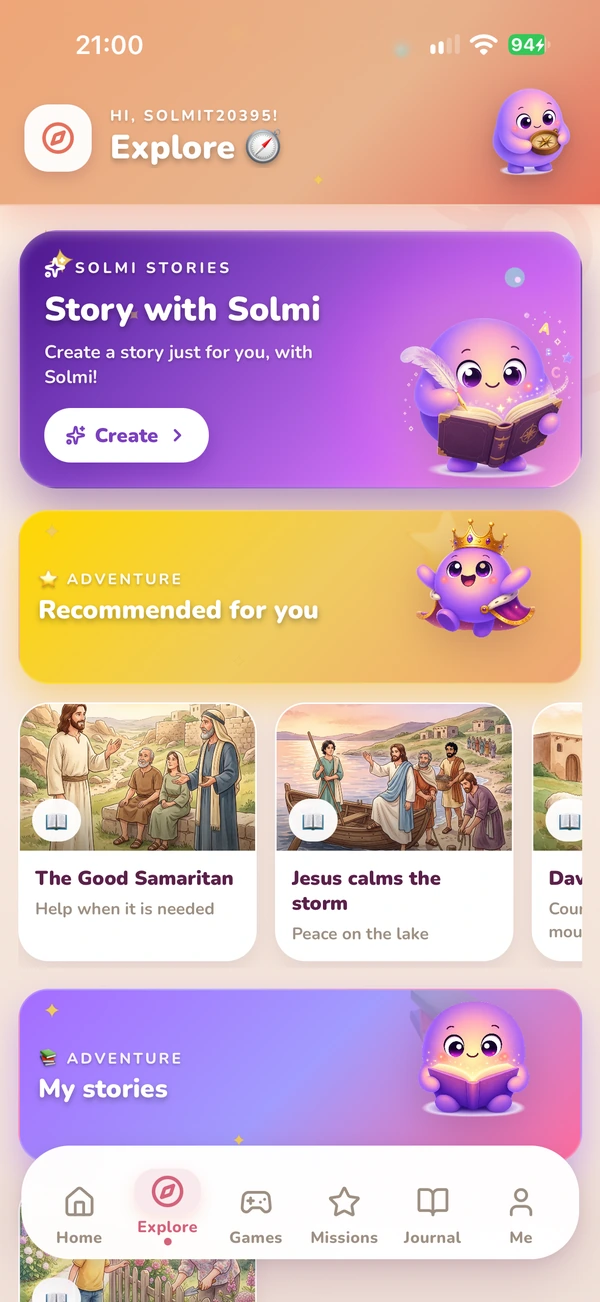
15 games to discover
Memory, logic, words and patterns. Solo and cooperative games with educational and biblical themes.

Find the Bible pairs

Arrange the colours by following the clues.

Find your way through the maze

Rebuild the scenes

Sort the real-life scenarios

Put the letters in order

Which character is hiding?

Be a quick shepherd

Answer the questions

Bible comparisons

Memorize the tune

Fruit, animals, shapes

Catch the manna, avoid the snake

Save the animals as a team
Together
Co-op trivia with friends
TogetherStory library
Your child reads or listens to the story, looks at the illustrations and answers questions about the characters and their choices. Afterwards, you can talk about courage, kindness, forgiveness and generosity.
Your child chooses a character and theme, and AI creates an illustrated story. Options and limits are shown in the app.
For parents
Use the parent dashboard to set daily time in Solmi, confirm missions and choose whether to enable AI chat.
Choose a daily limit for each child. It applies within Solmi, not to the whole phone.
Your child marks a real-life mission as done. You check and confirm it in the parent dashboard.
You choose whether to enable AI chat. You can withdraw consent in parental settings.
Review data information, manage consent and request deletion of the family account.
Install Solmi, create a child profile and choose their daily time in the app.
Download Solmi from the App Store or Google Play and set up your family account.
Create your child's profile, choose a daily limit in Solmi and decide whether to enable AI features.
They can read a story, play a game or complete a mission for you to confirm.
Settings for daily time, AI consent and family data.
Information about data, consent and account deletion in the Privacy Centre.
Solmi offers free content and paid subscriptions. The app does not display ads.
Your child reads or listens to Bible stories and plays memory, logic and word games.
Plans & pricing
Compare plans in the app before choosing a subscription.
Free
Free to install
Standard · Pro · Premium
Prices are shown in the app
The 14-day trial is available to eligible accounts and plans. Prices, included features and terms are shown in the app before confirmation. The subscription renews automatically until cancelled through the App Store or Google Play.
Quick answers
What you want to know before installing.
Solmi is a mobile app for ages 4–12, with stories, educational games, music and real-life missions. Parents have a separate dashboard for child profiles, time and settings.
Solmi is for children aged 4–12. Choose activities together to suit your child's age, interests and pace.
Yes. The stories, the verses and some games (Bible Memory, Noah's Ark, Bible Words) have biblical themes. The lessons they carry are universal values: empathy, courage, gentleness, generosity.
Solmi is free to install and offers Standard, Pro and Premium plans. Prices, included features and eligibility for a 14-day trial are confirmed in the app before subscribing. Subscriptions renew automatically until cancelled through the App Store or Google Play.
Start with one child profile and the activities included in the free tier. The app shows what is free and what requires a subscription.
AI chat and AI reports have separate parental choices that you can revoke in settings. Reports offer observations for family conversations; they are not psychological tests, diagnoses or intelligence assessments.
It is an AI character your child can talk to in the journal if you enable the option. Replies are generated automatically and can contain mistakes. Solmi does not replace a parent, teacher or professional.
Solmi includes automated moderation and reporting and blocking options. You can review available conversations in the parent dashboard. Moderation can make mistakes; talk with your child about reporting concerns and asking for help.
Yes. Each child has their own profile and progress. The number of available profiles depends on the plan and is shown in the app.
Solmi offers activities to choose from: stories, games and family missions, without ads or a feed of viral clips. Parents choose time in the app and stay involved.
Yes. Set a daily limit in minutes for each child. This applies to time spent in Solmi, not to the whole phone.
Your child chooses a character and a theme, and AI creates an illustrated story. Availability, narration and limits depend on the plan and the options shown in the app.
Available now
Your child can read and listen to stories, play memory and logic games and complete missions for you to confirm.
For iPhone, iPad and Android. Free to install, with optional subscriptions.

Report a problem or propose a partnership. We answer as soon as we can.





 Magic Story — AI-created stories





 14-day trial, if eligible